2 min readUpdated 7 August 2026
Upload a photo of your PIP award letter showing the whole first page which includes the details we need to automatically verify your document or a PIP letter about your award dated within last two years.
Step 1 - Take a photo of your PIP Award or a recent letter about your PIP Award.
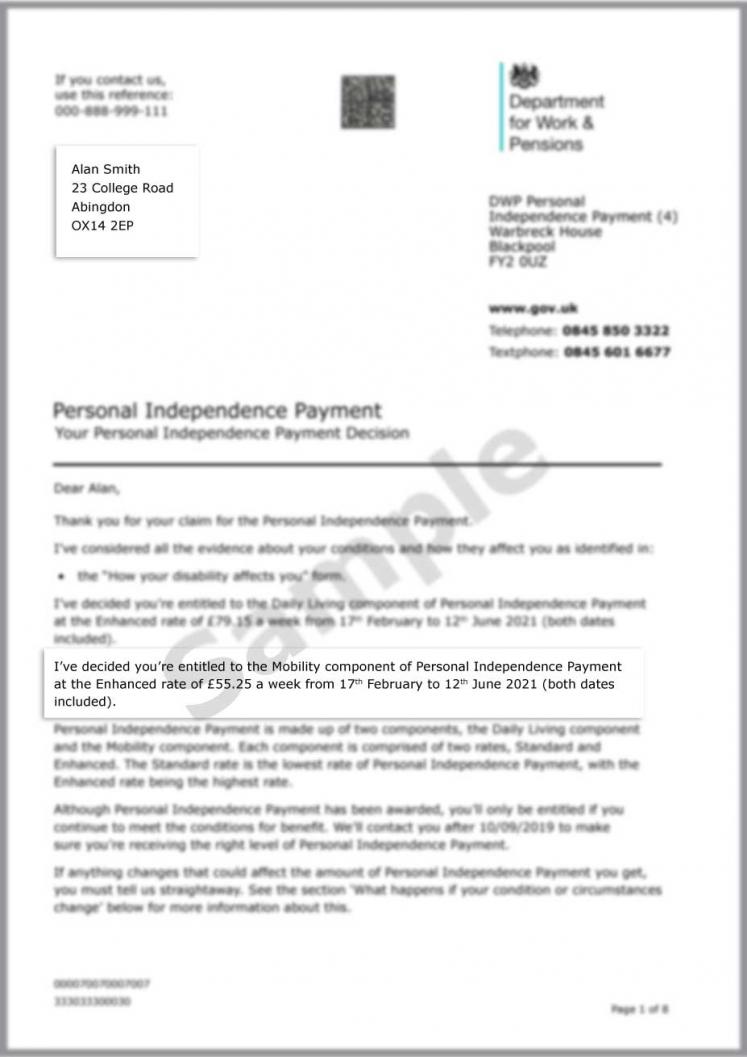
Photo should show all the details we need to verify:
- Your NI reference
- The entire letter, edge to edge
- Your name and address details
- A future expiry date.
If your PIP letter does not show the award end date, then the letter must not be older than two years.
What if my expiry date is on the next page?
Please upload the next page after the first one by going back to the beginning and uploading another document.
Example PIP Award letter:
Step 2 - Review this checklist before you upload
Check your photo:
- show whole page from edge-edge
- shows your NI number
- shows your full name and address details
- shows your award end date OR the letter is dated within the last two years
- has nothing else is in the photo - just the letter as above example
- the text is legible to you
Step 3 - Upload your photo
In most cases a PIP Award letter taken correctly will be automatically approved.
You will automatically be taken to the payment screen to complete your Purpl membership subscription.
Tips on how to take a good photo
- Good light, and no flash - the flash reflects off the letter surface
- Letter flat on a surface, camera directly above it
- Check every line of text is legible before uploading
My PIP document upload failed, what shall I do next?
Please do not upload the same photo again - it will fail.
Check the checklist above and then retake.
All failed documents go through to manual review and we will contact you with the reasons why or if it was due to the lighting and we were able to approve it manually you will receive a Welcome email.
I can't find my disability benefit letter, what can I do?
You can request a copy of your entitlement from the DWP.
Related help
My document was rejected, what do I do next?
How long does verification take and how do I check the status?
How do I take and upload a document photo that Purpl can accept?
I am having difficulty uploading my document. What should I do?
What if my document has more than one page?
My document was rejected, what do I do next?
Why am I being asking to verify again?
What happens to my verification data?